
merge
One bird. One flock.
Thousands.
A flock simulator you can play. Guide your birds, find the rhythm of nearby flocks and watch individual movements become something bigger.
A space to try things
Small ideas.
Strange possibilities.
Experiments in code, play and movement.
A place where curiosity takes shape.
One bird. One flock.
Thousands.
A flock simulator you can play. Guide your birds, find the rhythm of nearby flocks and watch individual movements become something bigger.
Inside the flight
Simple rules. Surprising movement. A closer look at Merge, bird flocks and collective behaviour.
Merge is an interactive flock simulator and browser game by Alexandre Dvihally. You guide a flock, fly alongside other groups and try to bring them together. It is a small experiment in collective movement, where many local decisions create a larger, changing pattern.
Merge takes inspiration from Boids, the model published by Craig Reynolds in 1987. Separation creates space between close birds. Alignment brings their directions closer together. Cohesion keeps neighbours connected. These local behaviours, combined with steering and variation, create emergent movement without a pre-drawn path. They are useful modelling rules, not a complete explanation of real bird flight.
A compact conceptual model is F = wₛS + wₐA + w꜀C + steering + variation. Here S is separation, A alignment and C cohesion; the weights change their influence.
In Merge, the resulting direction is converted into a heading with a limited turn rate; speed changes are also bounded. Position then advances as p(t + Δt) = p(t) + v(t + Δt) × Δt. This is an explanation of the model, not its entire implementation.
Each bird reacts to nearby birds rather than consulting the entire sky. For alignment and cohesion, Merge uses up to seven neighbours from the same flock within a limited radius. Separation also responds to nearby birds from other flocks. Small corrections spread through the group; additional steering, inertia and large-flock rules help shape the flight.
A compact expression for the local cohesion term is Cᵢ = mean(pⱼ − pᵢ) / R: the average offset to those neighbours, scaled by the neighbourhood radius R.
Closeness alone is not enough. The groups need compatible directions and speeds, held for long enough, before nearby birds can gradually join.
The default checks are d < 110 + r₁ + r₂, |Δθ| < 0.52 rad and |Δv| < 30, held for 1.6 seconds. Here d is the distance between flock centres, r₁ and r₂ their radii, Δθ the heading difference and Δv the speed difference. Transfer is limited to 12 birds per second and requires local contact within 110 simulation units. Speeds use simulation units per second. These are game parameters, not biological constants.
It is a simplified, interactive simulation inspired by flocking research, designed for exploration and play. It does not reproduce the full biology, aerodynamics or decision-making of real birds, and it is not a validated scientific prediction tool. Use it to explore how local rules can produce collective behaviour.
Togetherness is a balance. Demanding a sharp turn at high speed can build tension; if that tension persists, part of the flock may split away. A larger flock also has more inertia, so patient, smooth steering can make it easier to stay connected.
Yes. Merge runs in a modern browser and supports mouse and touch steering, with up/down arrow keys to adjust speed. Its flight settings let you adjust separation, alignment, cohesion, steering and variation. Try changing one value at a time to see how the flock responds; performance depends on your device and the number of birds.
A little world.
One kind gesture at a time.
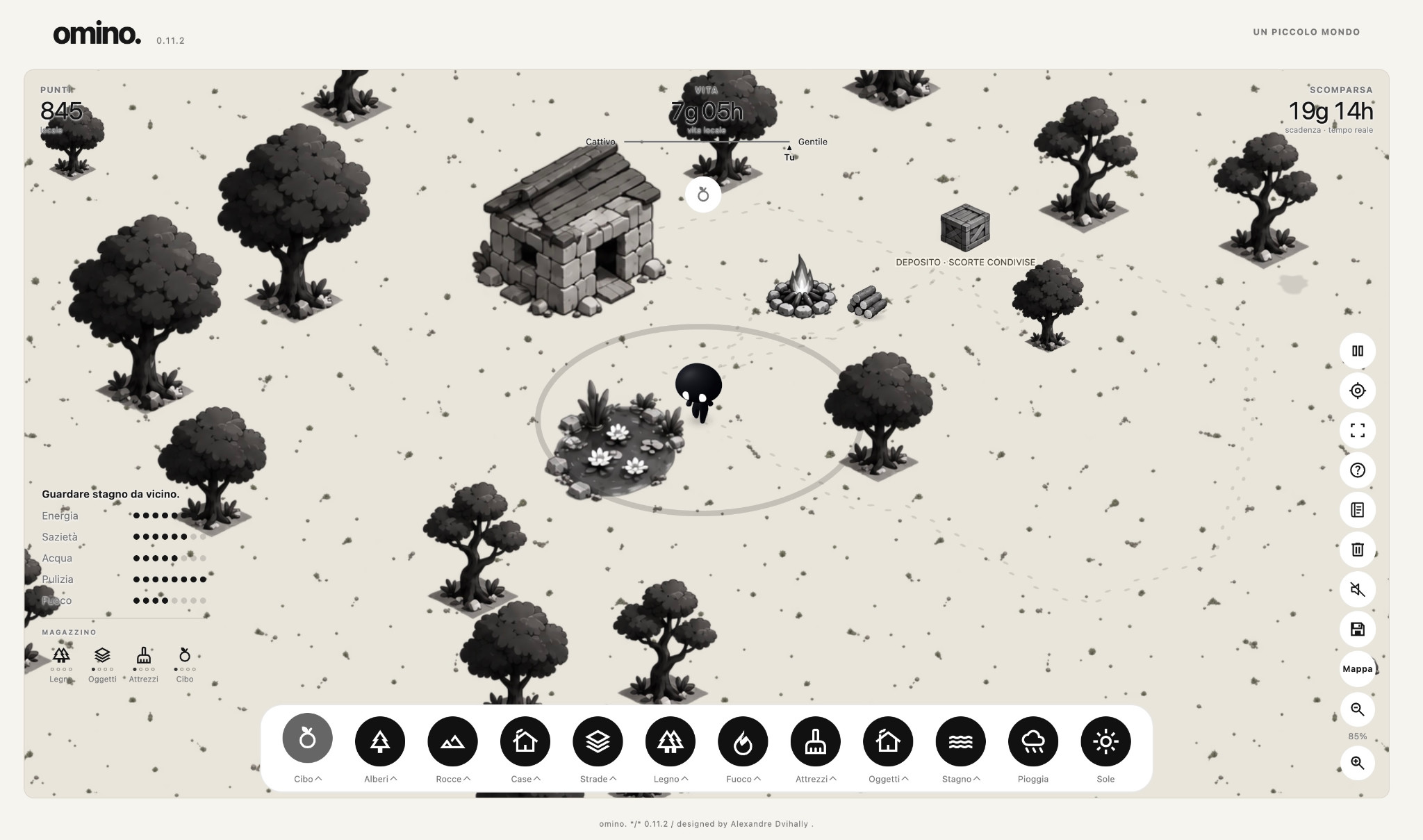
omino. is a small experiment in care, in your browser. Watch the creature, offer food, water, and other elements. With each gesture, shape a living world and see how it responds.
Before you step inside
A little world can raise a few questions. Here’s what to expect from omino. Learn how to care for its world and what happens when you return.
omino. is a small browser experiment in care. The creature acts on its own: walking, exploring, gathering what it needs and taking breaks. You can help with food, water, shelter and small gestures, giving it time to respond.
Yes, through gestures, reactions and short written expressions in speech bubbles. “Uga uga!” can be a request for food, “Glu uga!” for water and “Suu uga…” for rest. Watch its thoughts and needs indicators too: context matters. It is neither a sentient creature nor a chatbot; it uses programmed behaviour and expressions, not free conversation.
You can offer resources, build, plant, clean and touch omino. to see its reaction. Start with a few things, leave some space and wait before adding more. You do not need to fill every corner: noticing a need and giving it time to act is a gesture of care too.
Four ecosystems blend into the same landscape, while the cycle of day and night changes the light around them. There’s also a lantern for the darker hours. The things you add become part of this little world, giving you something to spend a quiet moment watching.
The simulation and resource consumption stop when the game is paused or the page is closed. The calendar keeps moving, though: if you return in a new month, a new omino. may be waiting for you, while the world and warehouse remain.
You can play as a guest: your world is saved automatically in that browser. Clearing its data can remove the local save. To keep your world on the server and resume on another device, choose a name and a six-digit PIN in the save-and-continue panel. Keep your PIN: email recovery is not available. If there are conflicting versions or an unsynchronised draft, the game asks which one to keep.
Yes, on a computer, phone or tablet, with touch controls too. Performance may vary with your device and browser. As a guest, your save stays in the browser you use; with a profile, you can resume your world on another device. The overview map is only available on compatible computers, but on touch devices you can still drag the view and pinch to zoom.
The warehouse holds actual stocks of food, wood, tools and lanterns gathered by omino. The numbers show the quantities available; library-only cards show decorative elements, not supplies you own. Food expires according to days of active play and loses freshness faster outdoors. Putting it away does not make it fresh again.
When the calendar month changes, using Rome time, a new omino. takes the place of the previous one. The world and warehouse are preserved. Each life may have a Curious, Foresighted or Calm trait, and you can view a summary of previous lives.
omino. moves around and takes short trips on its own, then returns. You can drag the ground to move the view and use the centring control to find it again. On touch screens, pinch with two fingers to zoom. On compatible computers with a mouse and enough screen space, the map of known territory also lets you move the view.
Too many throws close together can frighten it: it may say “Nuh nuh!” and seek shelter or hide. Slow down, wait and watch its response. One gesture at a time gives it room to react.
Yes: here are the basic words, requests and reactions, and all 51 object names. The vocabulary is fixed and context-dependent; object names are provisional and stay the same in every language. There is no grammar to reconstruct: “mi”, “uga”, “toka”, “nulo” and “nuh” have no defined standalone translations. Do not translate the syllables of compound names separately. Some forms name both an object and a reaction: look at the situation. Not every event produces a speech bubble.
Small worlds.
Always in motion.
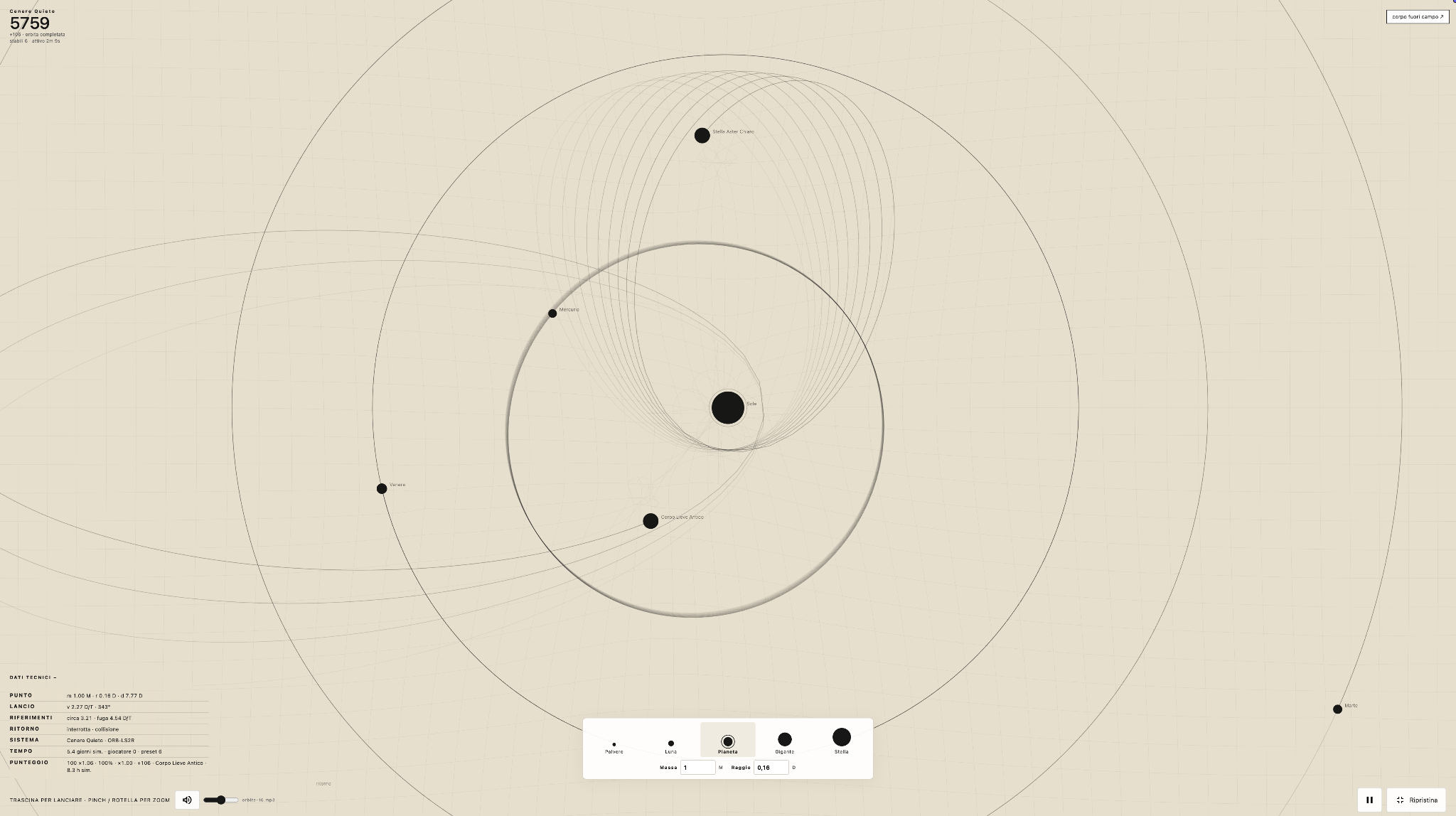
Build a small orbital system and watch a simplified model of gravity turn every choice into motion.
Inside the system
A playful look at paths, gravity and the small changes that reshape an orbit.

15 species. 15 mutations.
7 objectives.
By Emile Dvihally.
Merge matching sea creatures to discover new species and mutations.
WordPress plugin
The tools you need.
When you need them.
By Alexandre Dvihally.
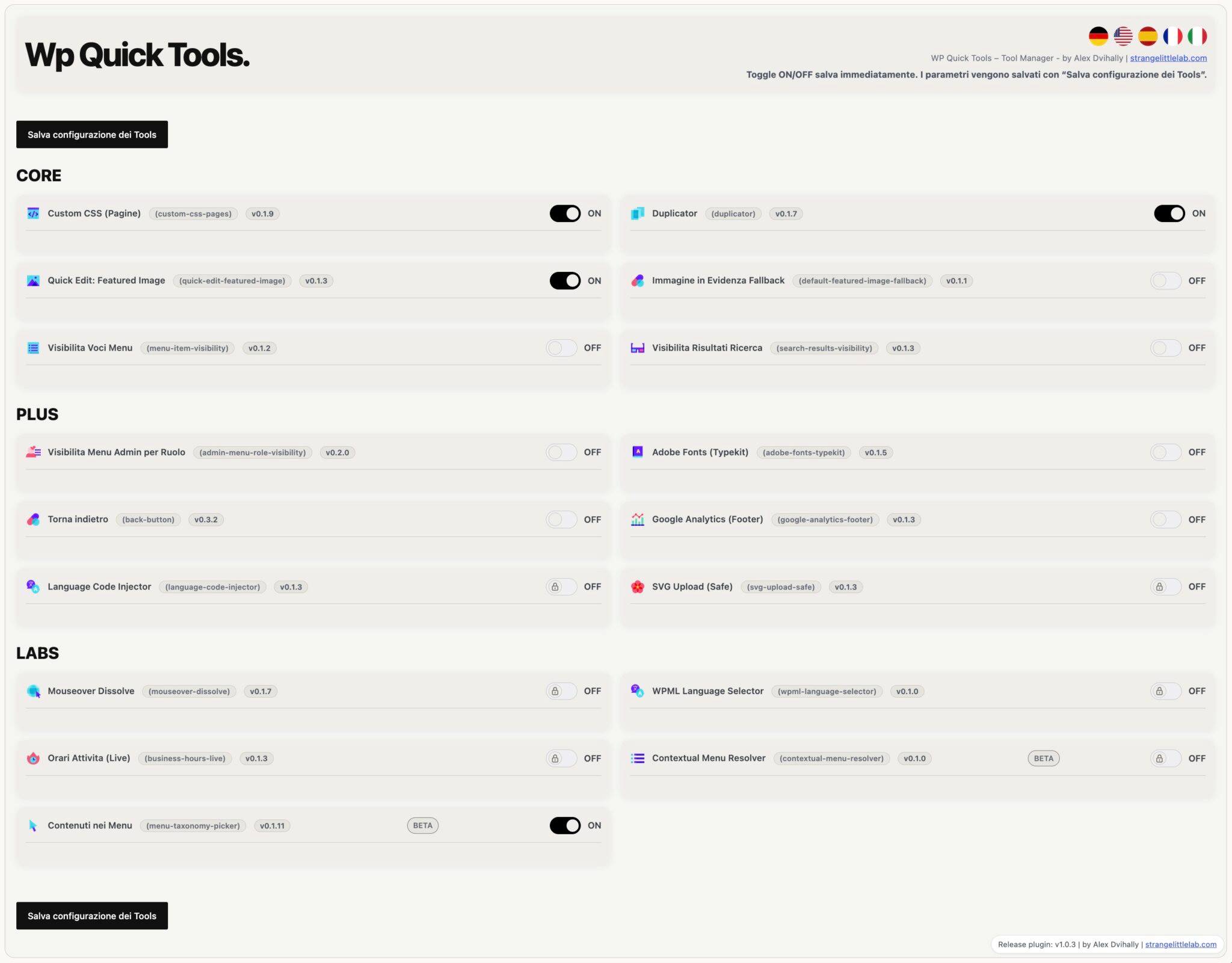
17 practical tools in one panel. Enable only the ones your site needs.
It is a WordPress plugin that brings together tools for everyday site tasks. It draws on Alexandre Dvihally’s experience building WordPress websites since 2006.
The collection includes 17 modules: 6 CORE, 6 PLUS and 5 experimental LABS modules. Features include custom CSS, content duplication, menu visibility controls and other utilities.
No. You can enable only the tools you need and configure each feature from the plugin’s panel.
LABS contains experimental modules. Before using them on a public site, try them in a test environment and check that they behave as you need.
Download the ZIP file from the WP Quick Tools website and upload it through WordPress’s Plugins section. Before installing, make a backup and test the features with your theme, page builder and other plugins, preferably on a test copy of your site.
The WP Quick Tools website provides the public release, distributed under the GPL license. The plugin can notify you when a new version is available; the notice does not install the update automatically.
More experiments will find a home here.